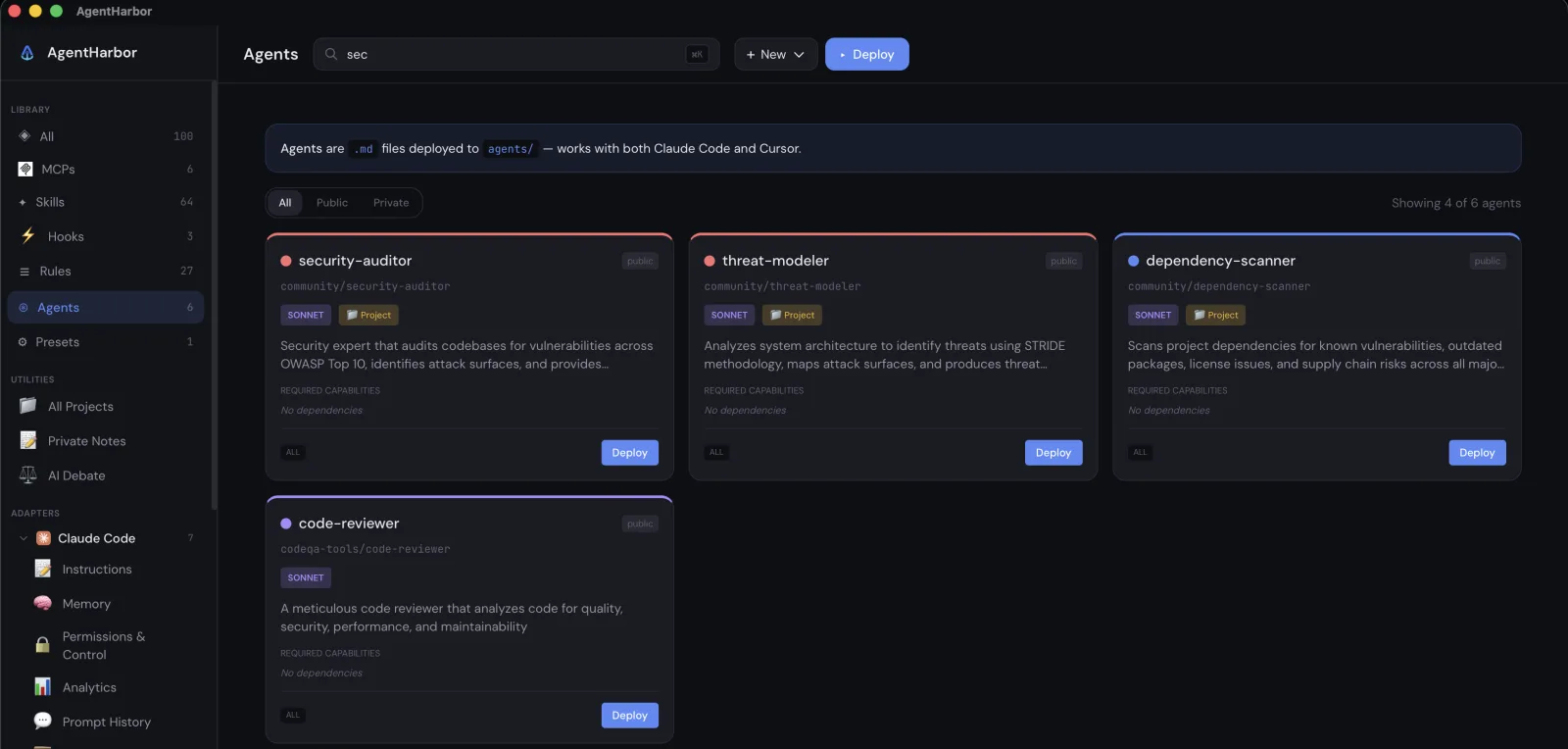
If you use more than one AI coding tool, you know the drill. The same MCP server configured three different ways in three different files, rules duplicated between CLAUDE.md and .cursorrules, skills that only exist in one tool, and no idea how close you are to a rate limit until an agent stops mid task.
AgentHarbor is a native tray app for macOS and Windows that puts all of it in one place. It manages what your agents can do, shows what they are costing you, and remembers what they did, across Claude Code, Cursor, Windsurf, Gemini CLI, Claude Desktop, and Codex.
One library, every tool
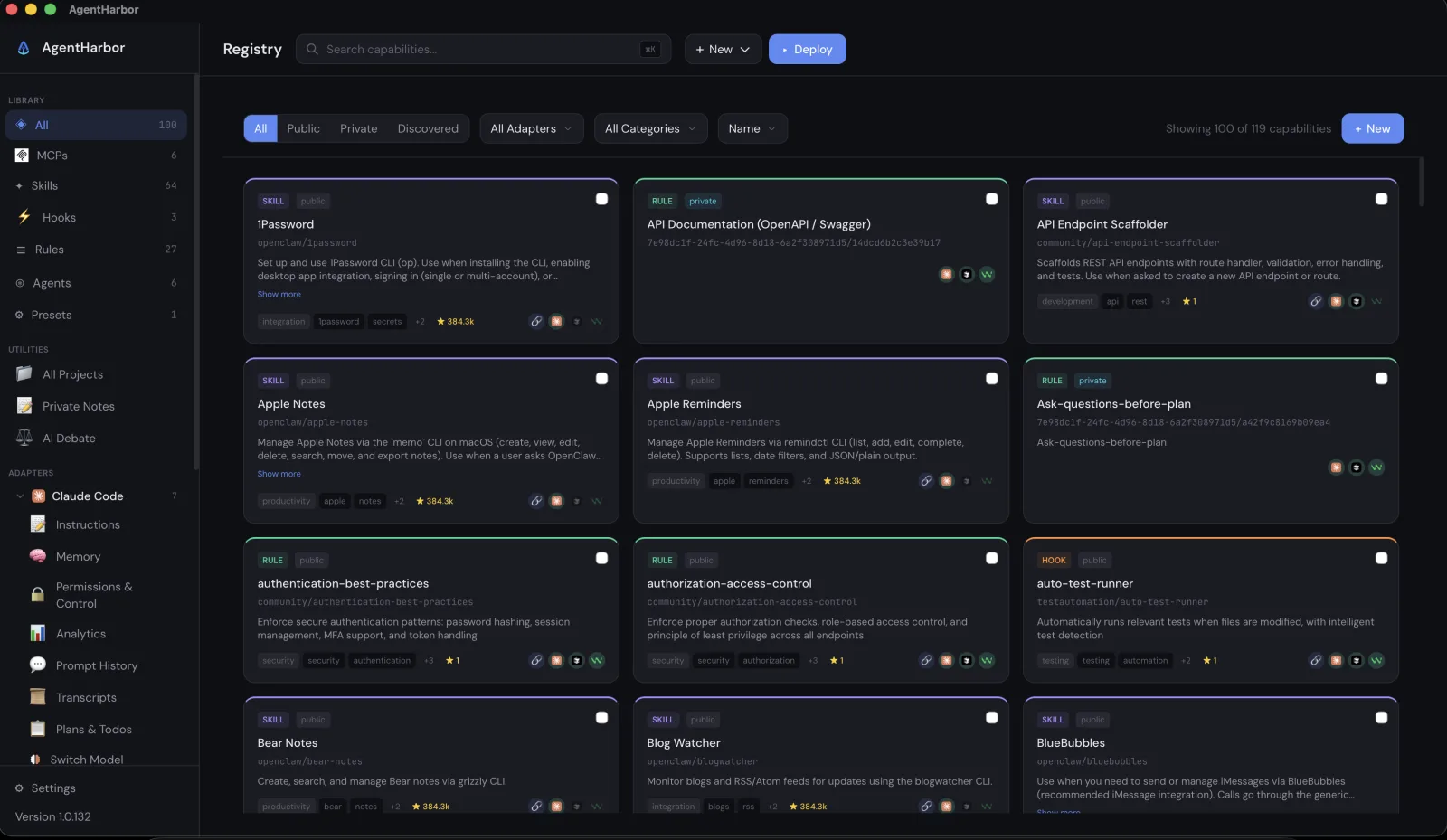
Everything an agent can use lives in one searchable library: MCP servers, rules, skills, hooks, and agents. Import a capability once, in one universal format, and adapters translate it into whatever file and syntax each tool expects. Browse the community registry, the official MCP registry, or Anthropic's skills, and bring anything in with one click.
Deploy a whole stack in two clicks
Presets bundle capabilities into a stack you deploy in one go, like a set of security rules and review agents you want on every new project. Before anything lands, a guided wizard shows a diff of every file it will touch, takes a backup, and leaves you an undo button. If a teammate or another tool edits a managed file later, drift detection flags it.
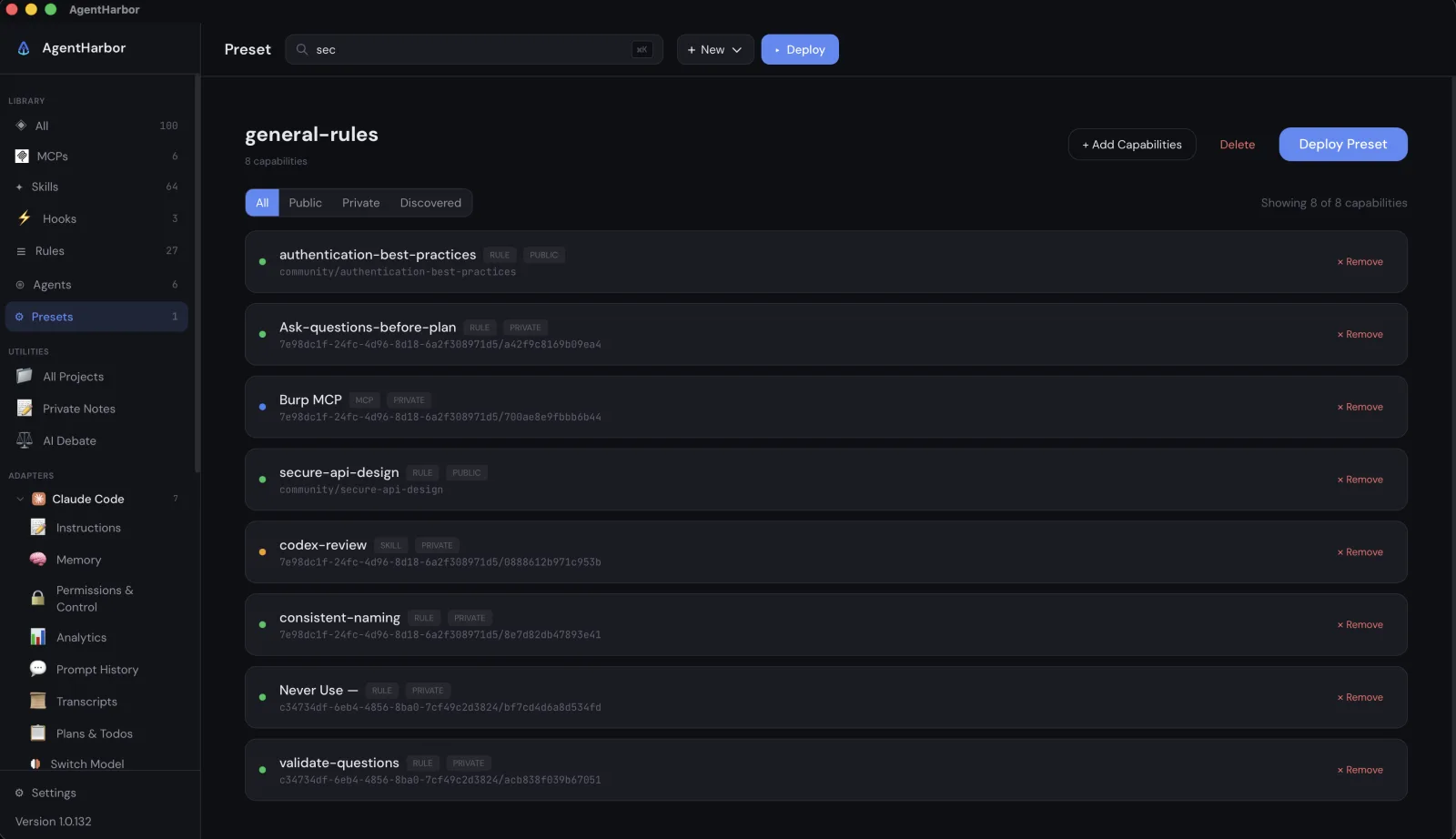
One guided wizard deploys the change across every tool at once.
See your limits before they stop you
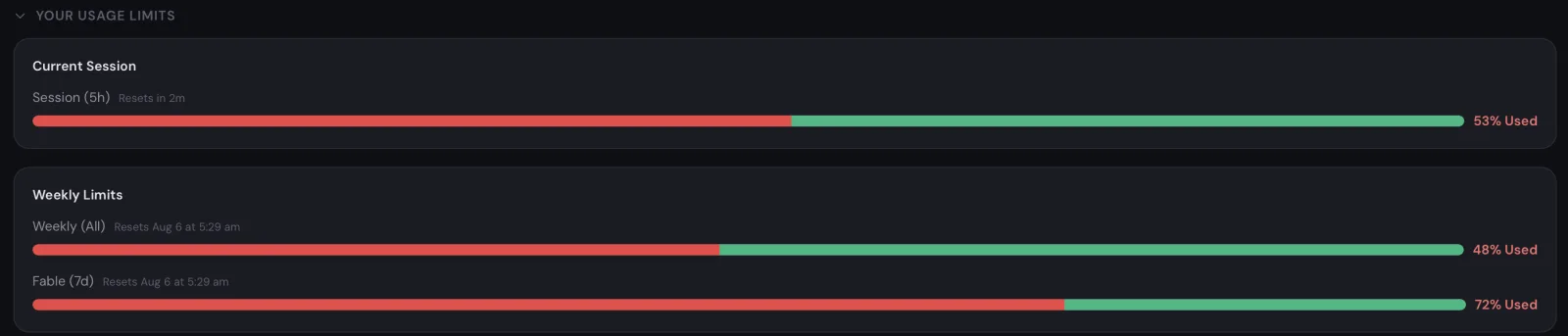
The menu bar always shows the metric that matters for your active provider: session percentage, quota, or spend. Bars fill in real time for the session window and the weekly quotas, and a notification arrives while you can still plan around it, not after the agent stalls halfway through a task.
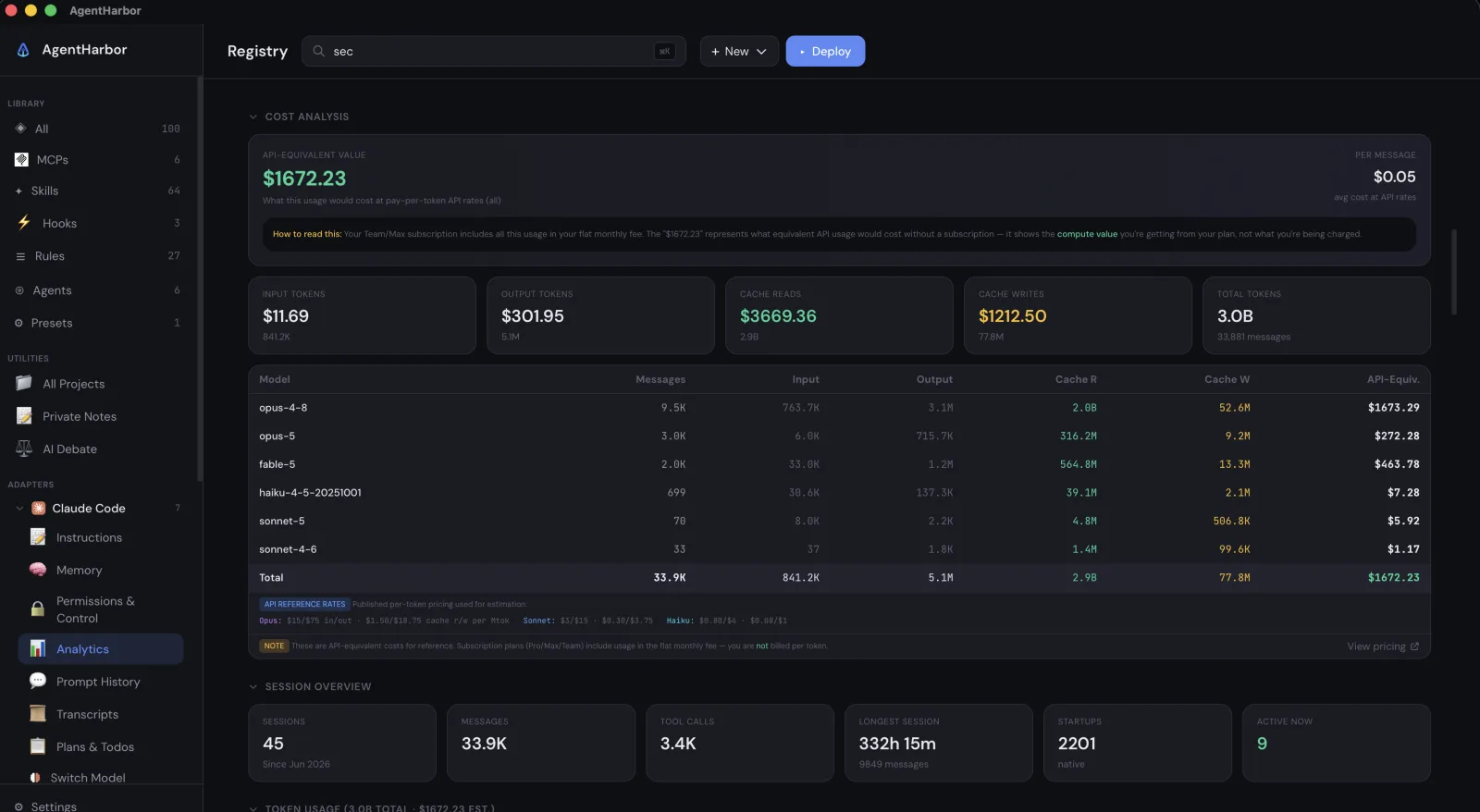
Know what the usage is actually worth
A cost engine translates subscription usage into API equivalent dollars, down to what each individual message cost. It works across 17 providers, from Claude Code to Cursor, Gemini CLI, GitHub Copilot, and OpenRouter, so you can compare plans with real numbers instead of guesses.
Remember every session and prompt
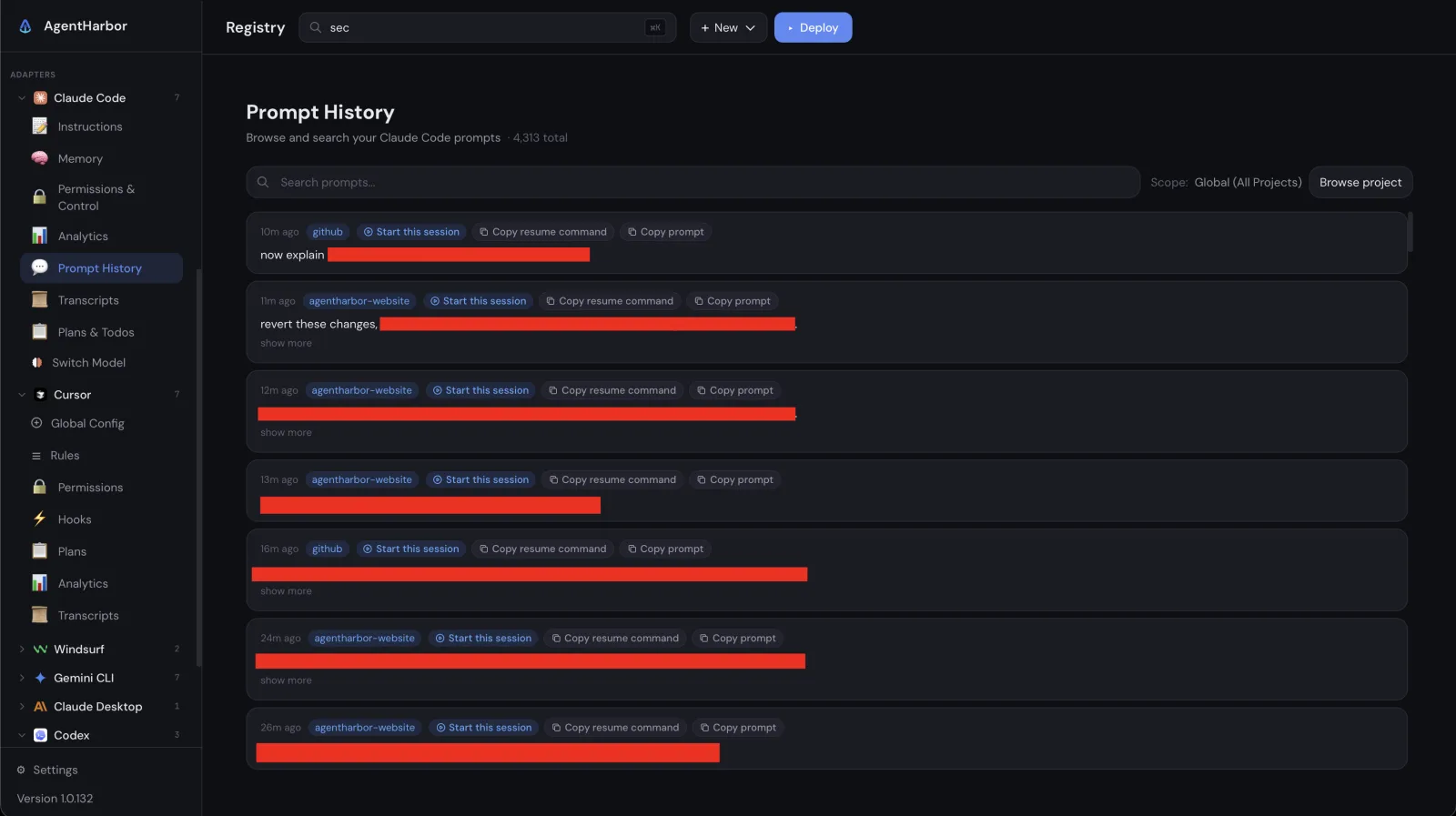
Every prompt you send is saved, searchable, and grouped by project, and each one carries a button that reopens its exact session or copies the resume command. Full transcripts are there to reread, with a scrub secrets button that cleans keys and tokens out before you share one.
Manage the tools from a real UI
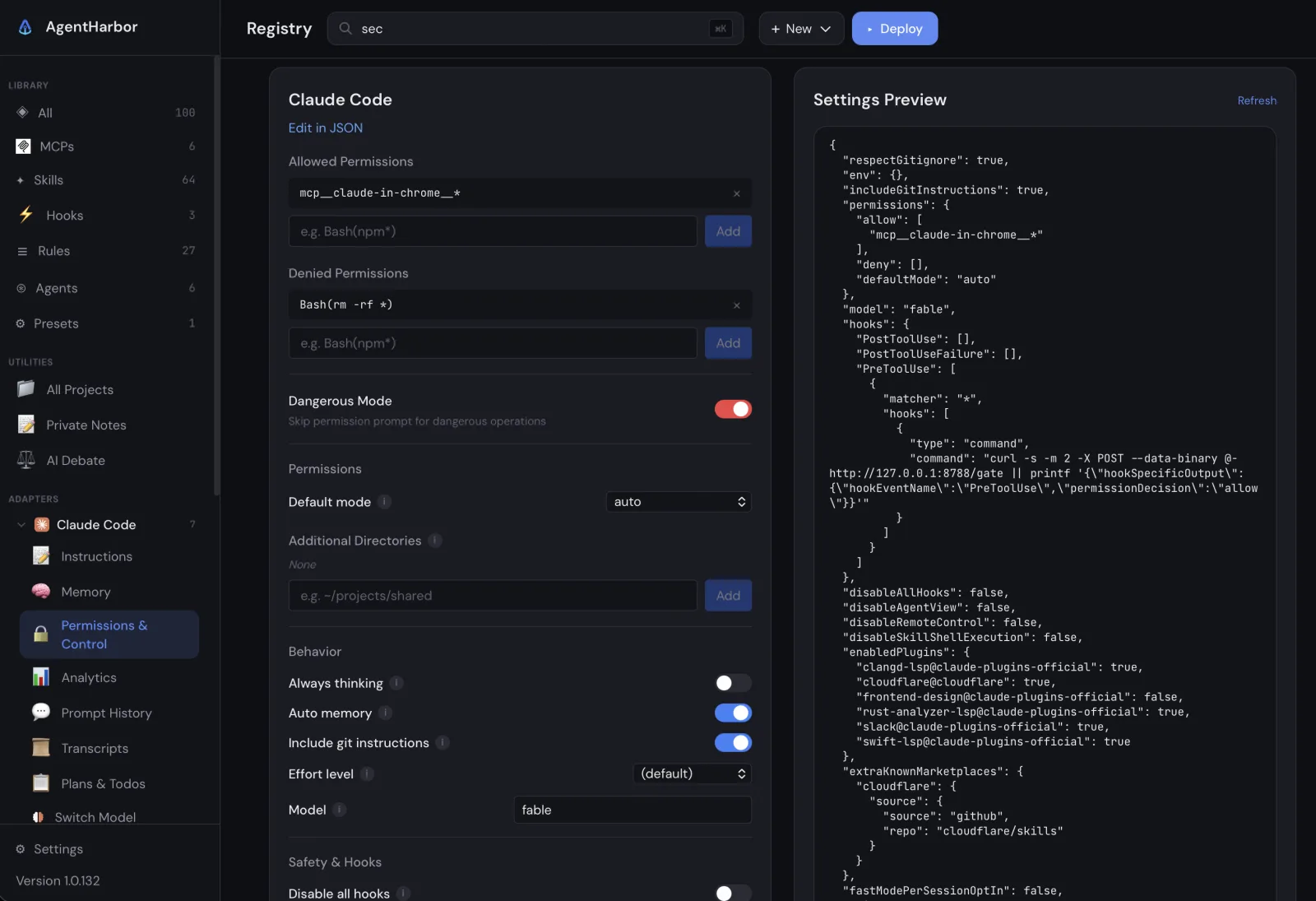
Each tool gets management pages in the sidebar. Edit instructions and memory with live token estimates, review allowed and denied permissions with a preview of the exact JSON that will be written, and collect every plan and todo your agents produce in one page.
Switch models, including local ones
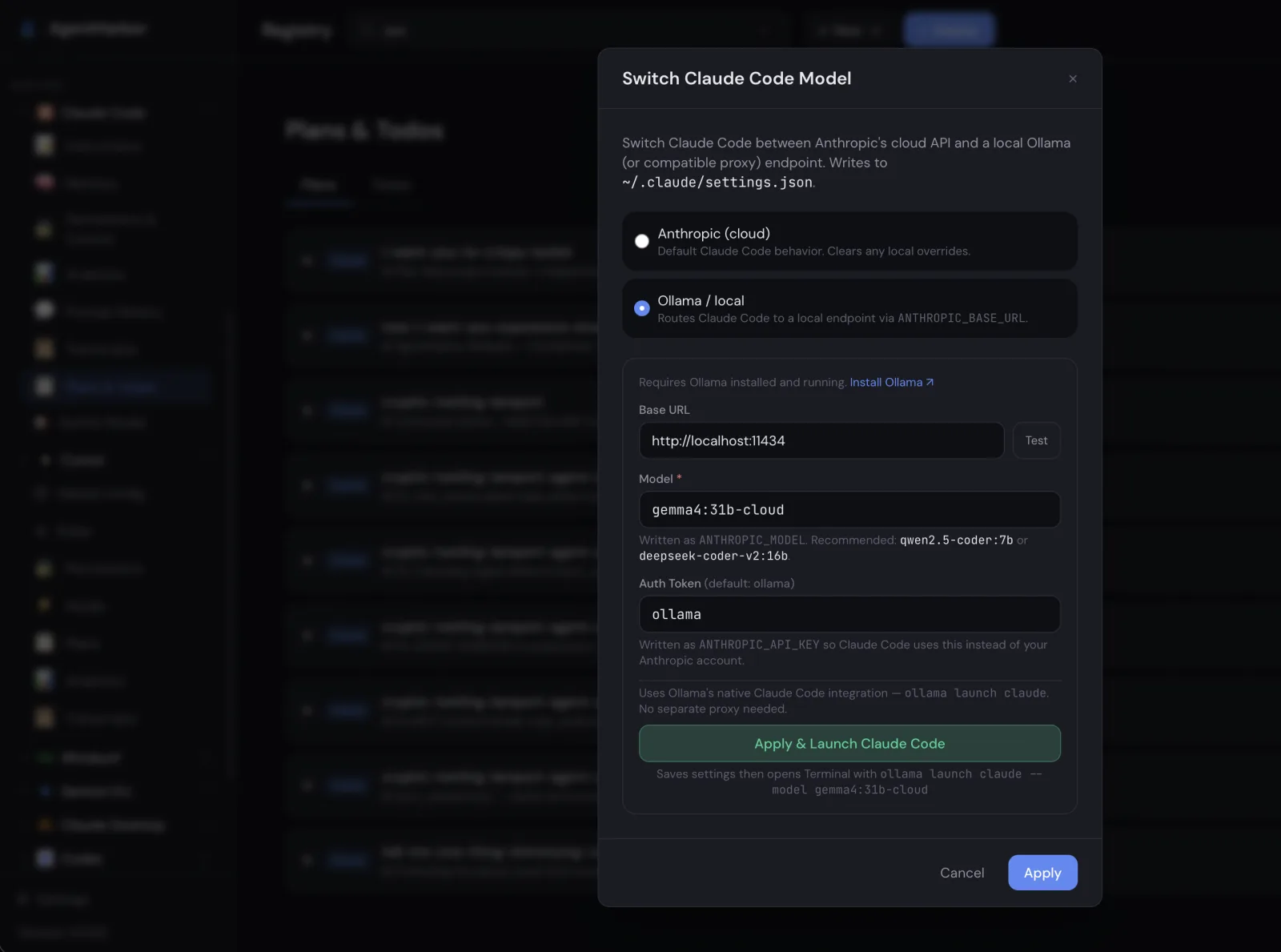
Switch Model changes the model for a tool without hunting for the right flag, and it can point Claude Code at a local Ollama endpoint instead of the cloud. Out of quota, offline, or just curious, the same agent keeps working against a model on your own machine.
Keep secrets out of config files
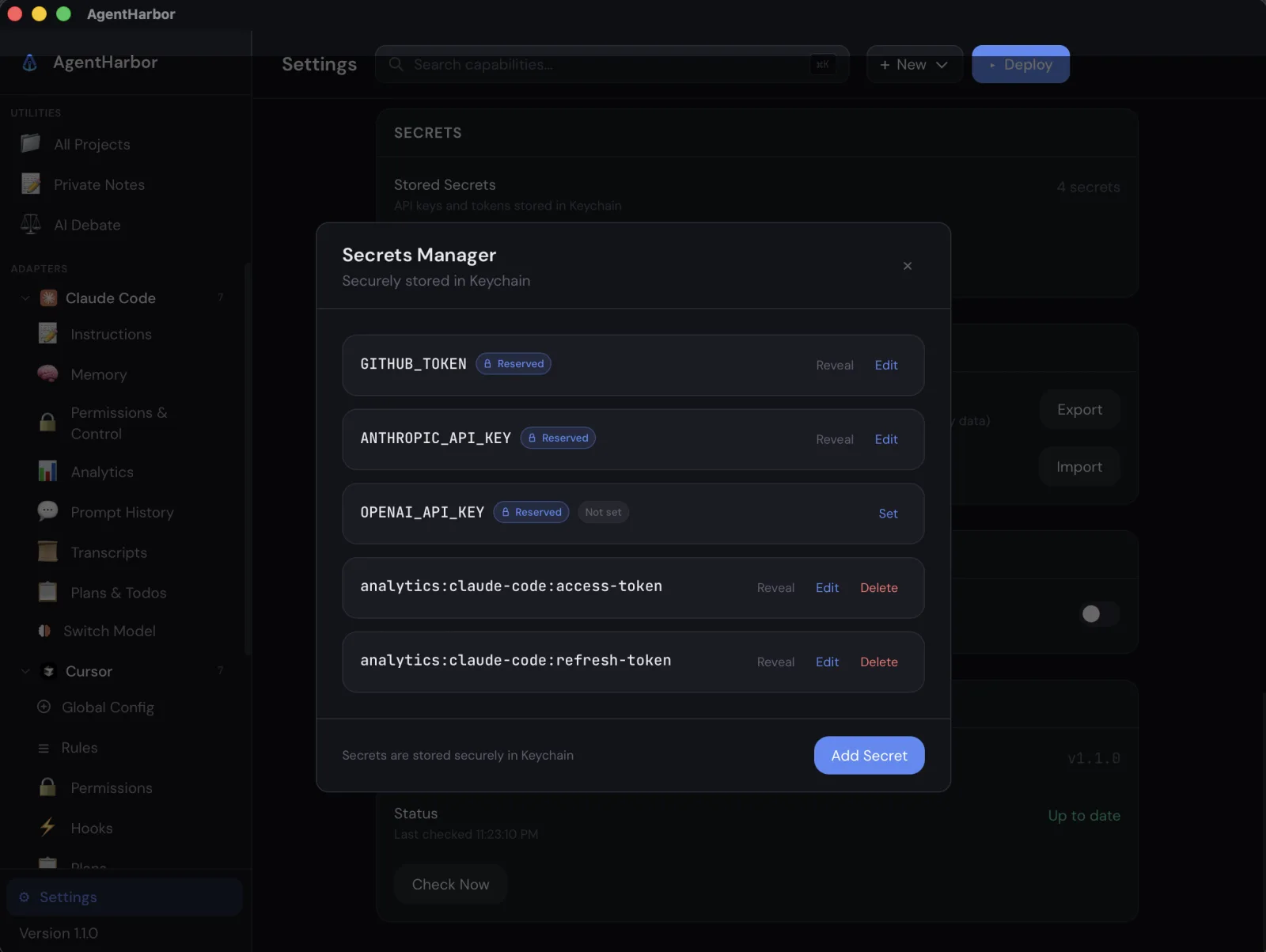
API keys never sit in plain text. Secrets are stored in the system Keychain, listed by name in a Secrets Manager, and injected where they are needed at deploy time. Values stay hidden until you choose to reveal one.
Free, open source, local only
AgentHarbor is MIT licensed and runs entirely on your machine. The only network calls go to each provider's official API with your own tokens; there is no telemetry and no middleman. Download it for macOS or Windows and bring your agents into harbor.