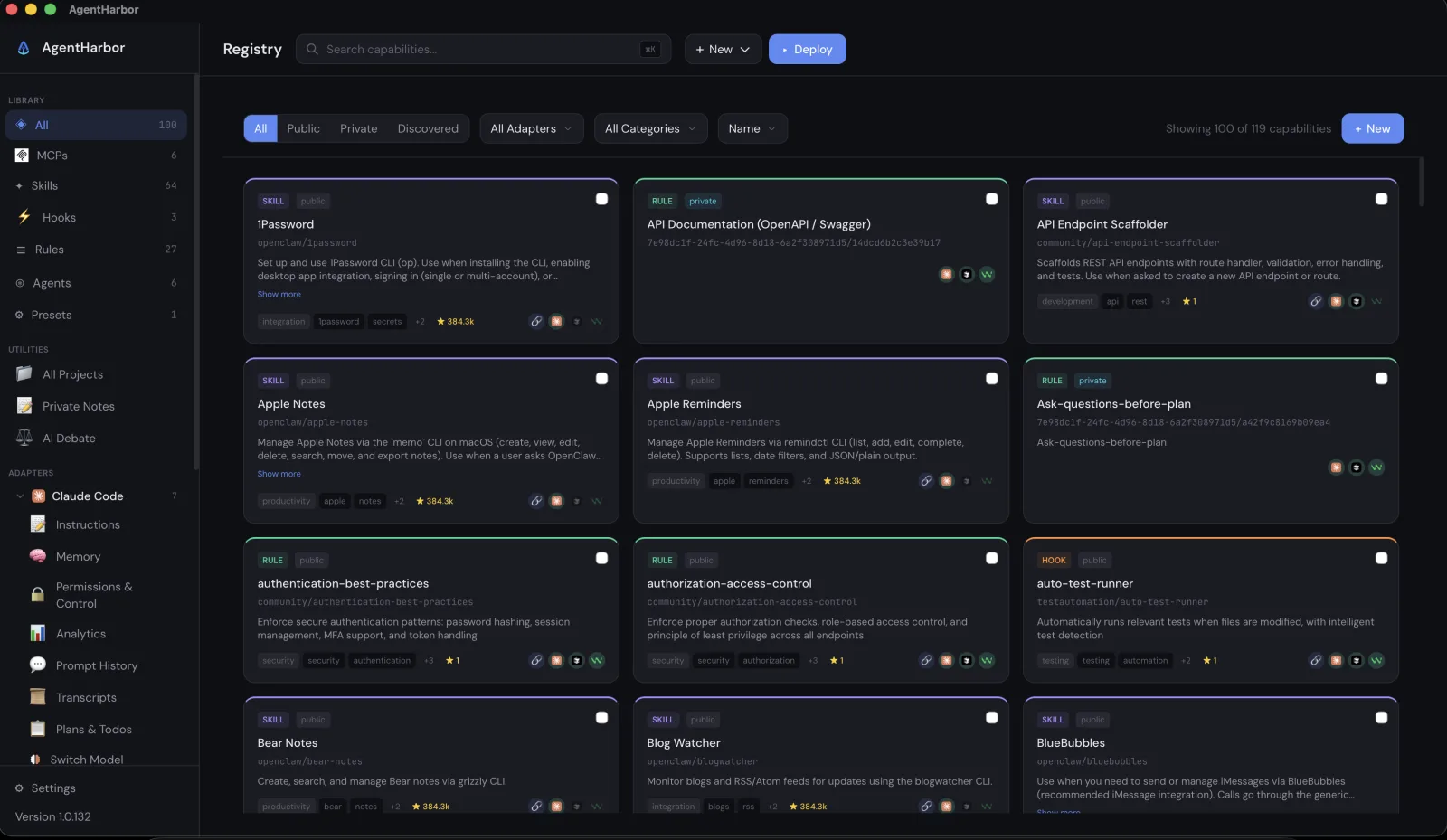
It has been almost a year since I started building AgentHarbor. Back then I was vibe coding a new project roughly every two weeks, and I was not loyal to any one tool. Cursor for some things, Claude Code for most, Codex when I wanted a second opinion, Gemini CLI once in a while.
The fun part was prompting and watching the thing take shape. The part nobody talks about is what came before the first prompt.
The setup ritual
Every new project started the same way. Wire up the MCP servers, copy in the rules, drop the skills and agent definitions into the right folders, and hope none of the JSON had a stray comma. A Next.js side project needed context7 for fresh docs, Playwright for browser testing, and the GitHub MCP, plus rules like strict TypeScript, conventional commits, and never touch migrations without asking. A CLI tool two weeks later needed a completely different kit.
For a while I managed it with a folder of generic prompt and config snippets. Copy the block you need, paste it in, adjust. It worked until it did not. You have to be careful with the JSON, and careful with tokens too, because every MCP server you leave enabled eats context whether the agent uses it or not.
Same capability, four different dialects
The bigger problem was that nothing was portable. Claude Code reads skills from ~/.claude/skills, rules from CLAUDE.md, and MCP servers from .mcp.json. Cursor wants .cursorrules and .cursor/mcp.json. Codex reads AGENTS.md and config.toml. Gemini CLI has GEMINI.md and its own settings file.
So switching agents on an existing project, which I did constantly, meant doubling the effort. Take everything you already set up and redo it in another format. Meanwhile new MCPs and skills were flooding in every week, and I had no picture of what was installed where.
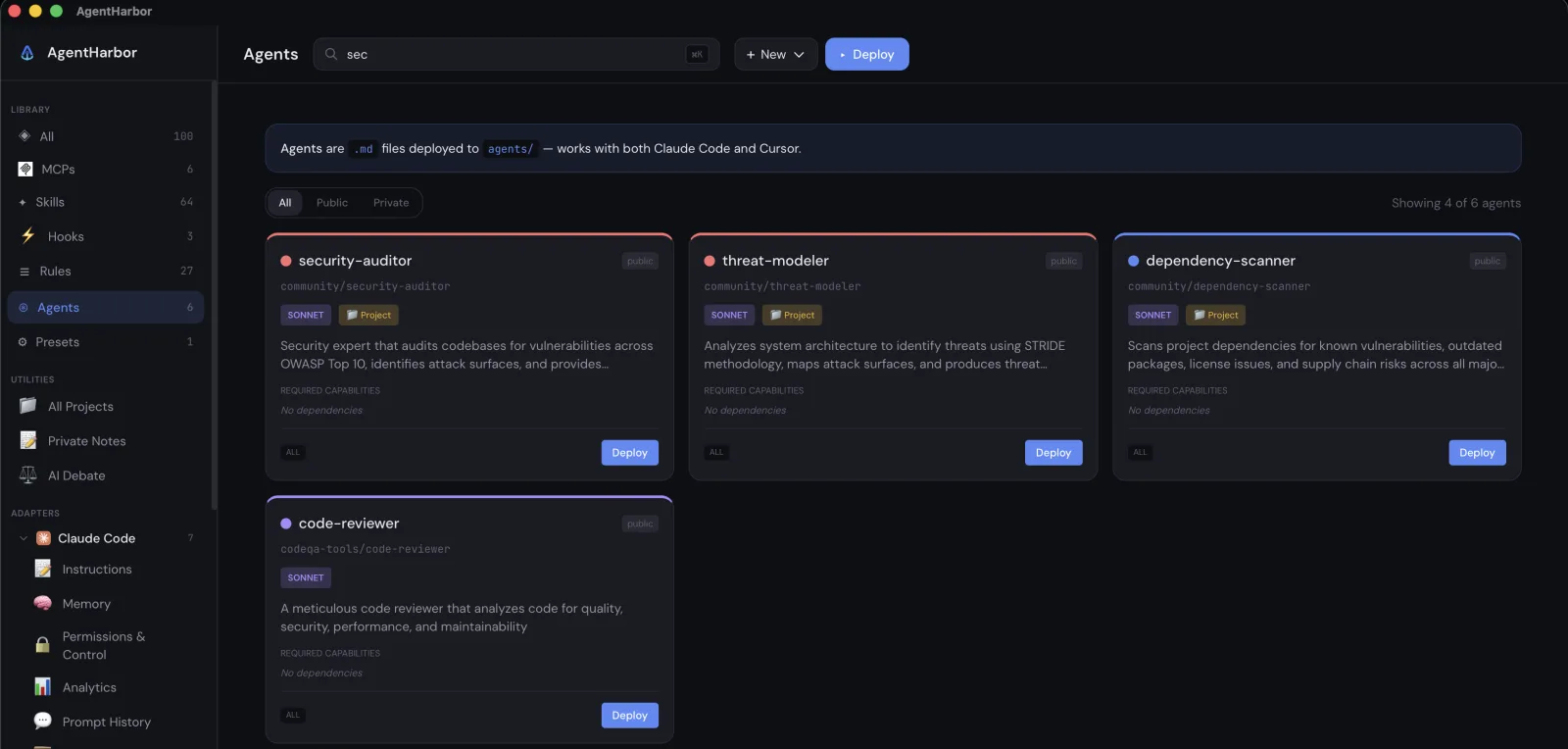
Same capability, four dialects; switching agents on a project meant doing the whole setup again in another format.
Import once, deploy in two clicks
That was the itch AgentHarbor originally scratched. Import a capability once, in one universal format, and deploy it to any tool in two clicks. The adapter worries about which file, which syntax, which folder. My library today holds 119 capabilities: 64 skills, 27 rules, 6 MCP servers, 6 agents, and a few hooks, all searchable in one place.
Presets took it further. I keep one called general-rules with eight capabilities I want on every project, things like authentication best practices and a rule that makes the agent ask questions before planning. One click deploys the whole stack, and new project setup went from an hour to under a minute.
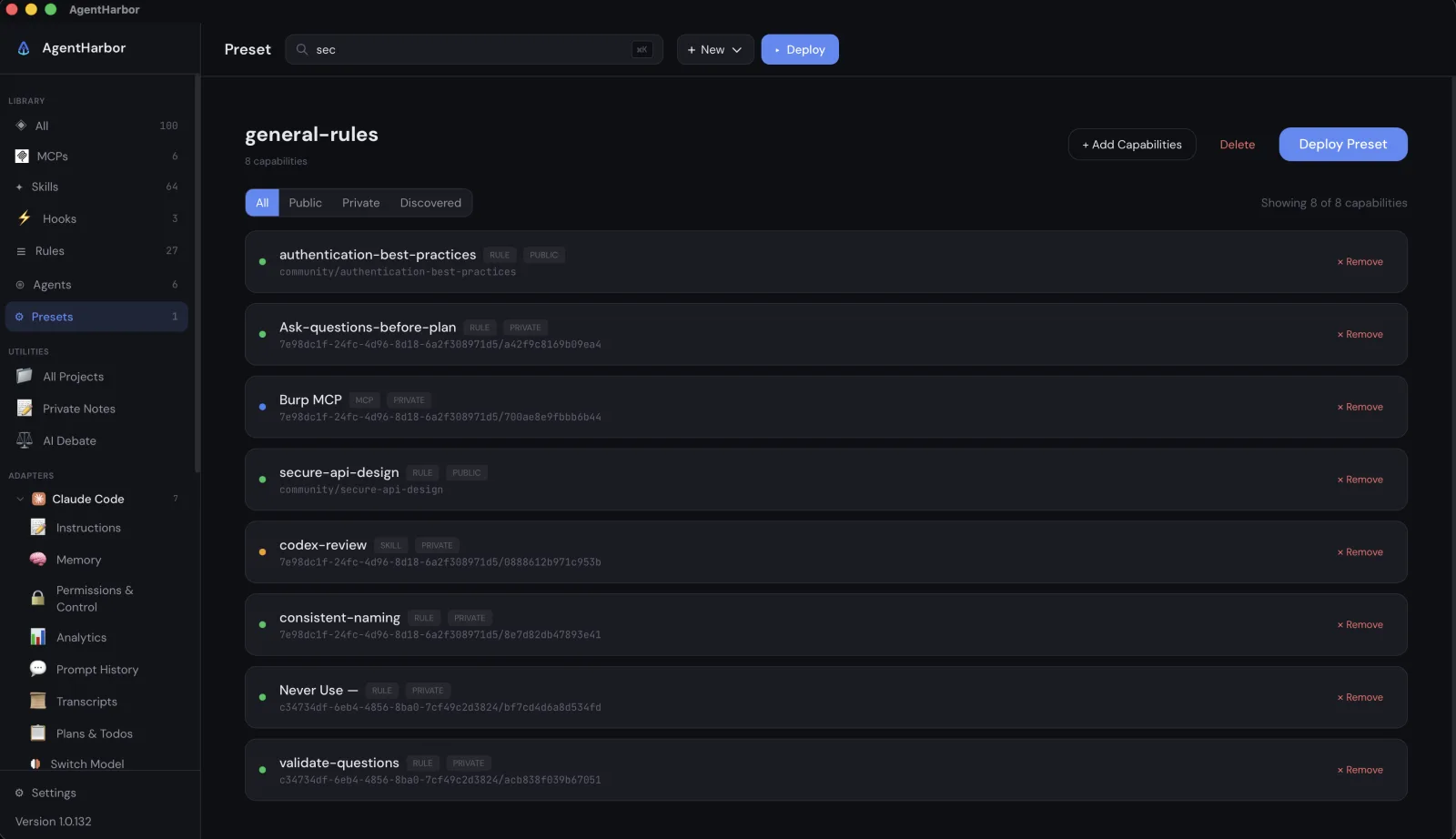
Honestly, that was supposed to be the entire app. Everything below exists because using my own tool every day kept surfacing the next annoyance.
The limit that lands mid task
The next one was usage. I kept hitting limits in the middle of work, half a refactor applied, because no tool tells you where you stand until you are already at the wall. So I built a tray tracker that shows my usage live in the menu bar: the session window, the weekly quotas, and how each of them is filling up.
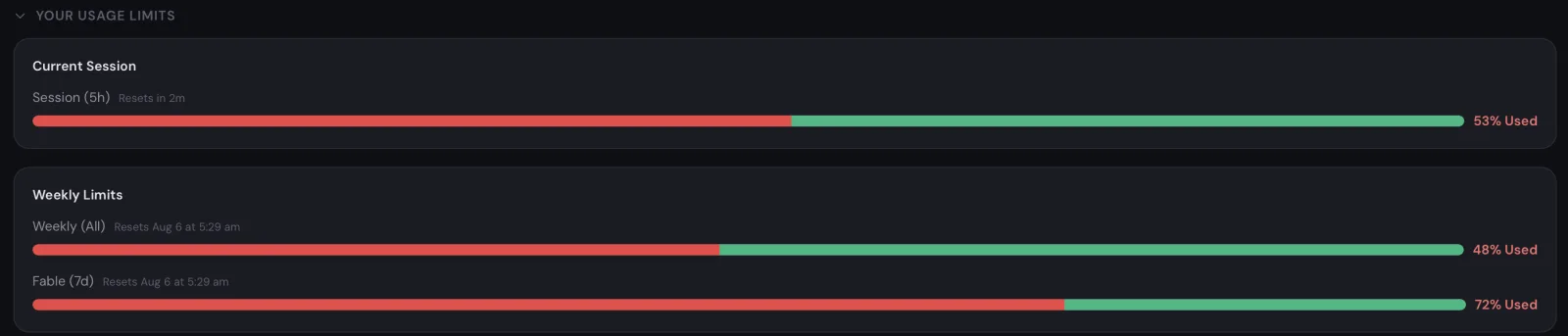
As I write this, my five hour session sits at 53% used and my weekly model quota at 72%. When a bar is close to full I get a notification while I can still plan around it, not after the agent stalls halfway through a task.
What the usage actually costs
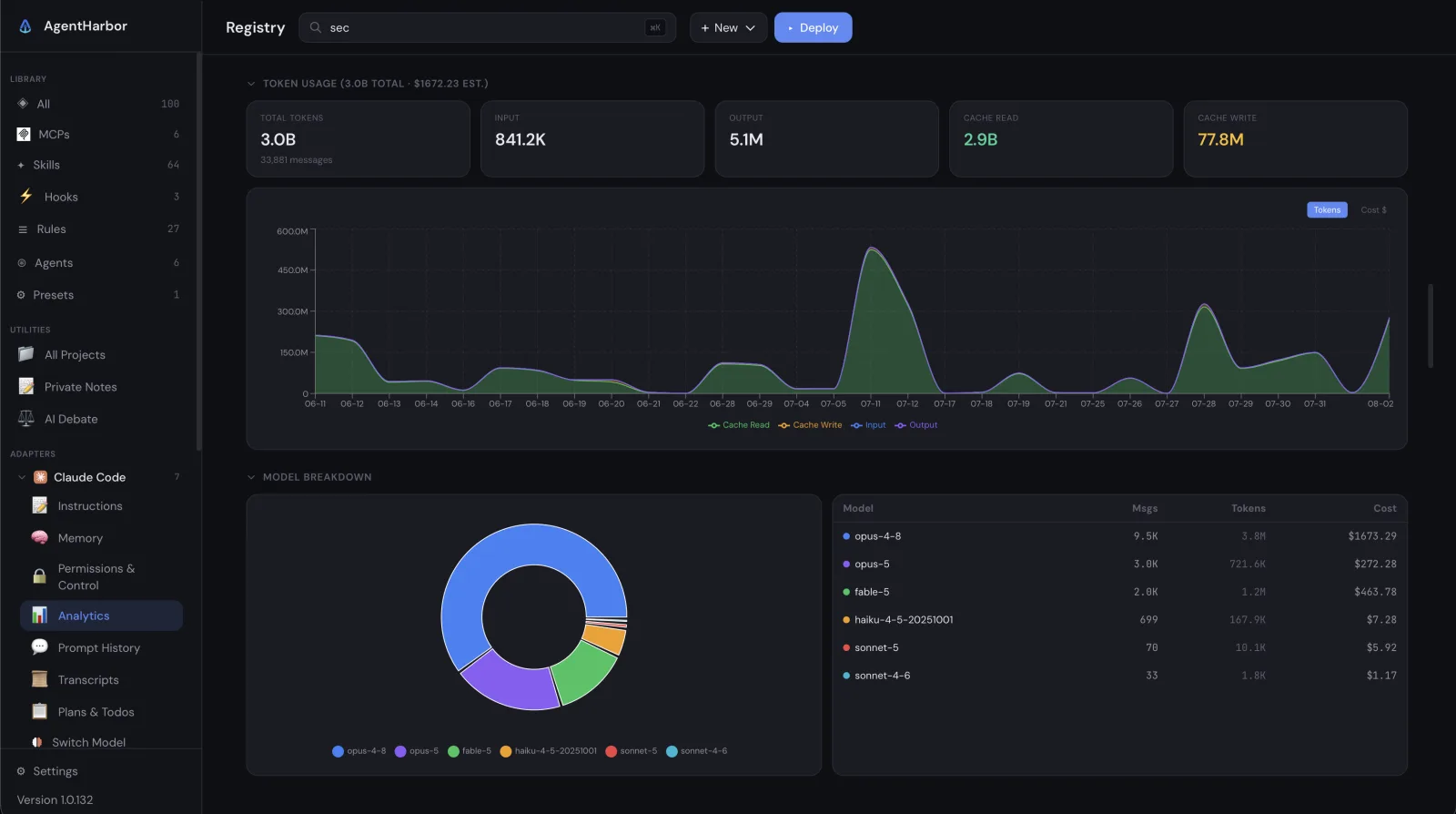
Once the tracker existed, I wanted the money view too. The cost engine translates subscription usage into API equivalent dollars. Last cycle mine added up to 3 billion tokens across 33,881 messages, which would have been $1,672.23 at API rates, about $0.05 per message.
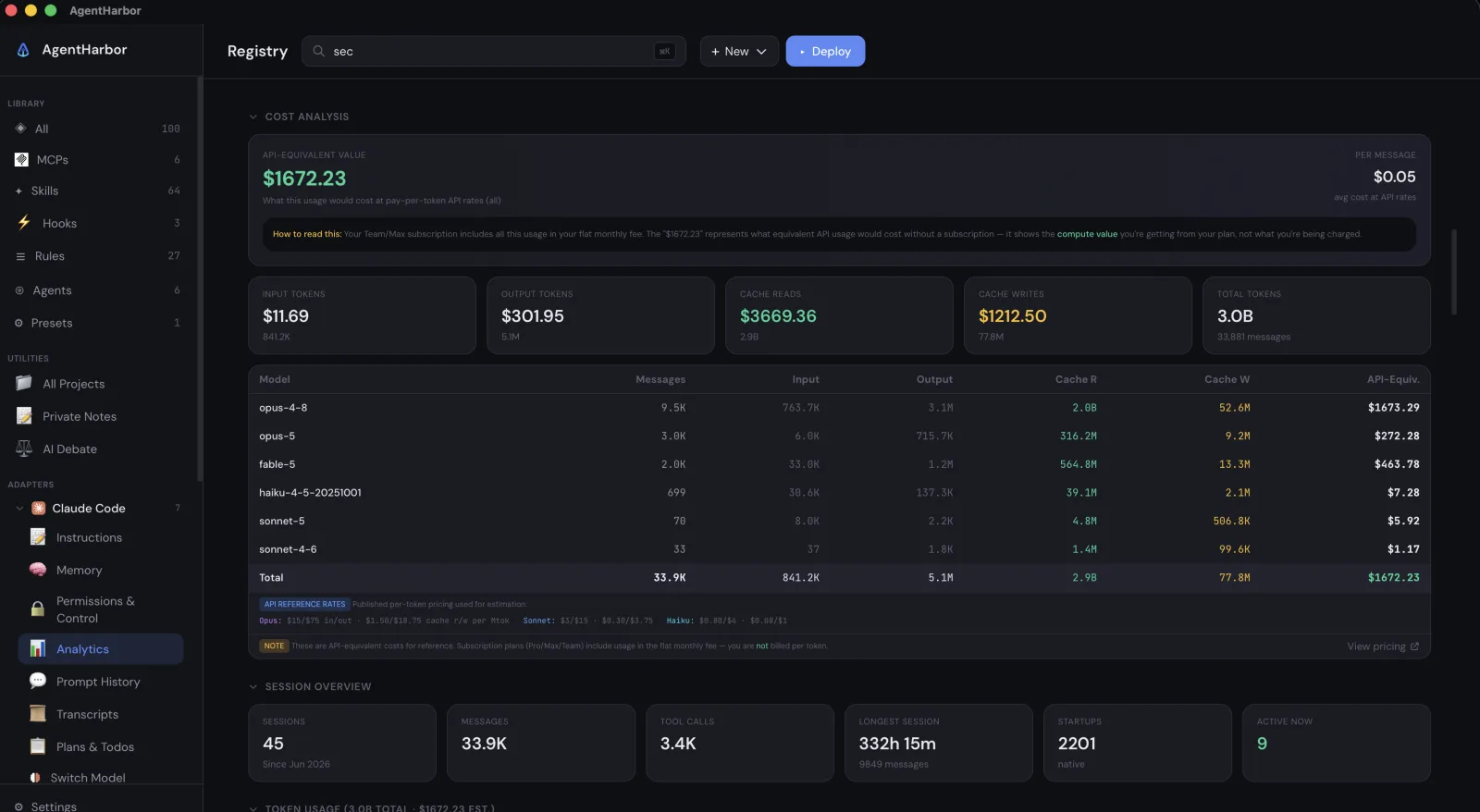
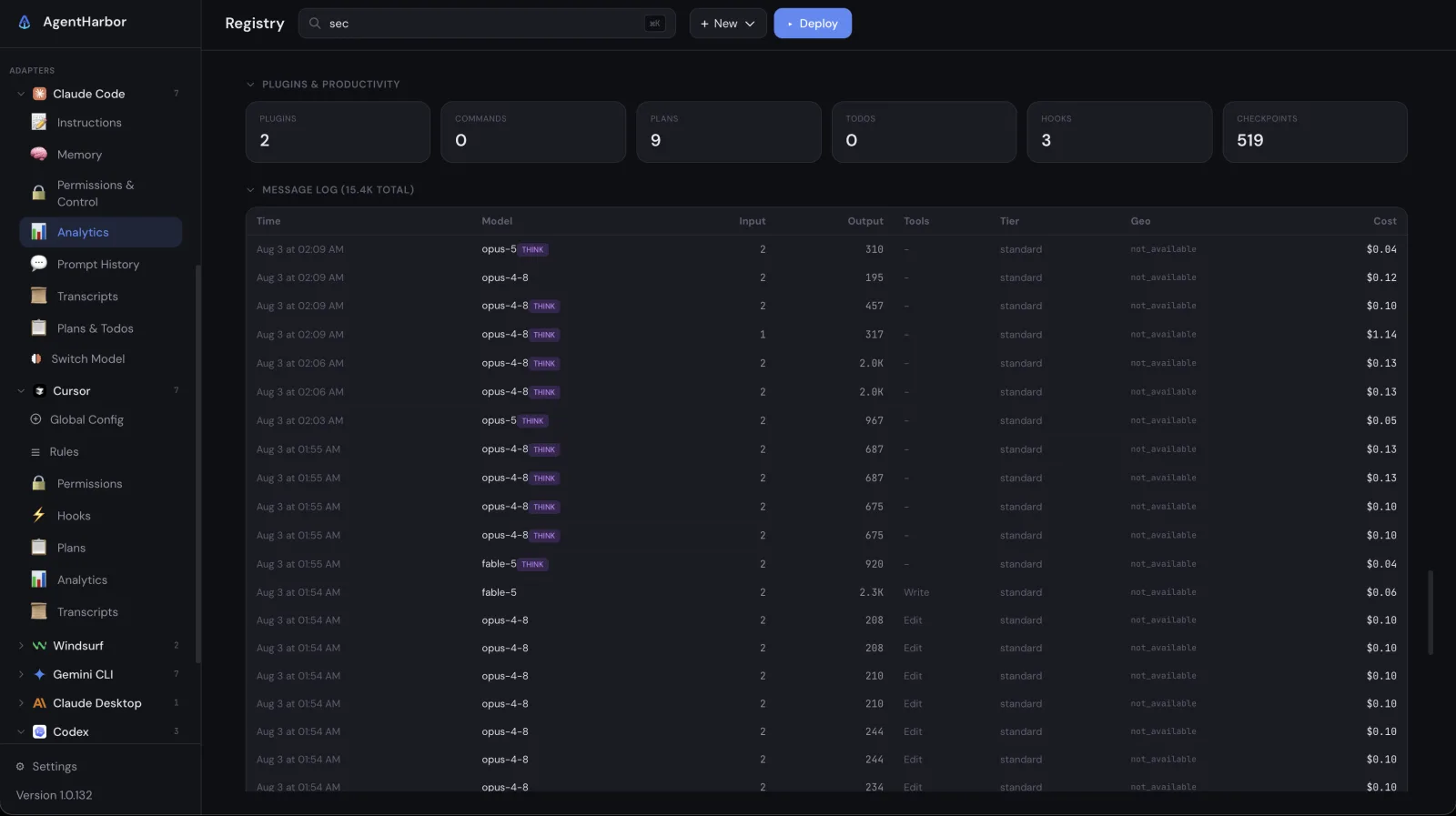
It goes all the way down to a message log, with input, output, cache reads, and what each individual message cost. That number changed how I worked. Once you can see that a careless prompt costs real money, you start writing better prompts.
There is also a table of cost per project, so I know exactly which side project ate the tokens, plus cache efficiency and a usage chart over time. None of it leaves my machine; the numbers come straight from each provider's official API with my own tokens.
It did not stay a Claude Code thing
Because the whole point was switching tools freely, the tracking had to follow. AgentHarbor now has adapters for Claude Code, Cursor, Windsurf, Gemini CLI, Claude Desktop, and Codex, each with its own pages in the sidebar. My Cursor page shows the team plan budget, bonus credits, and every on demand charge per model.
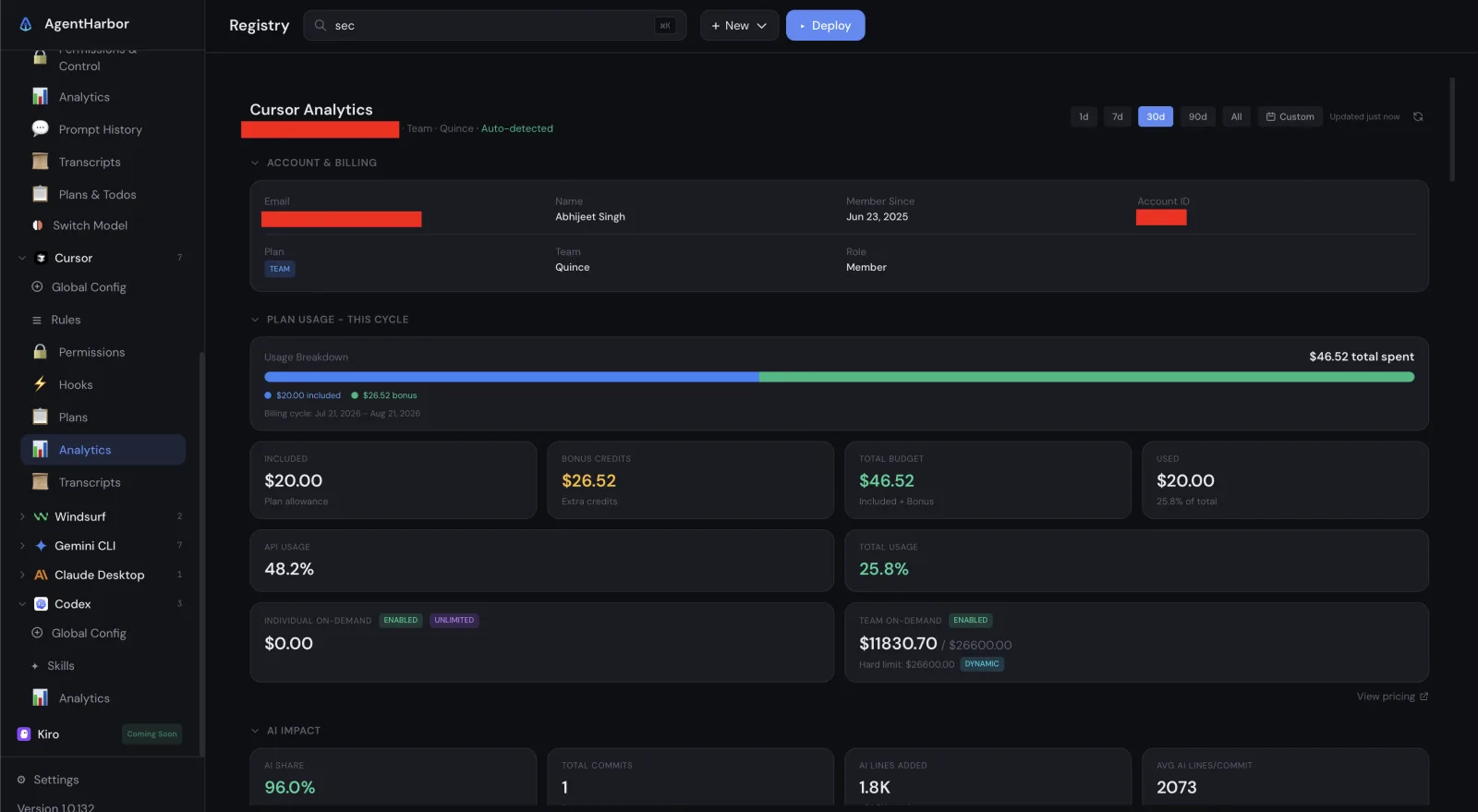
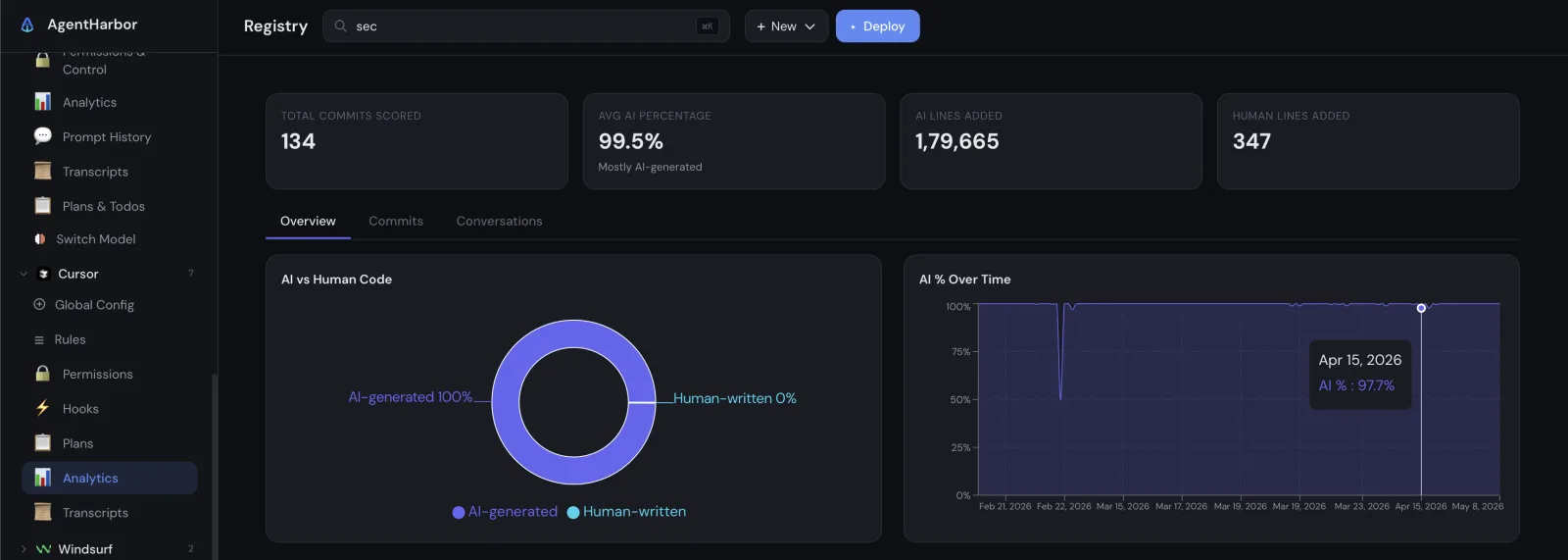
Cursor also surfaces a stat I find equally funny and scary. Of the last 134 commits it scored, 99.5% of the lines were AI generated: 179,665 lines from the agents, 347 from me.
Which session was that in
Then came memory, mine, not the model's. One project would have four open sessions, several projects each had their own, and I could never remember where I had done what. Was the auth fix in yesterday's Claude Code session or in this morning's Cursor one?
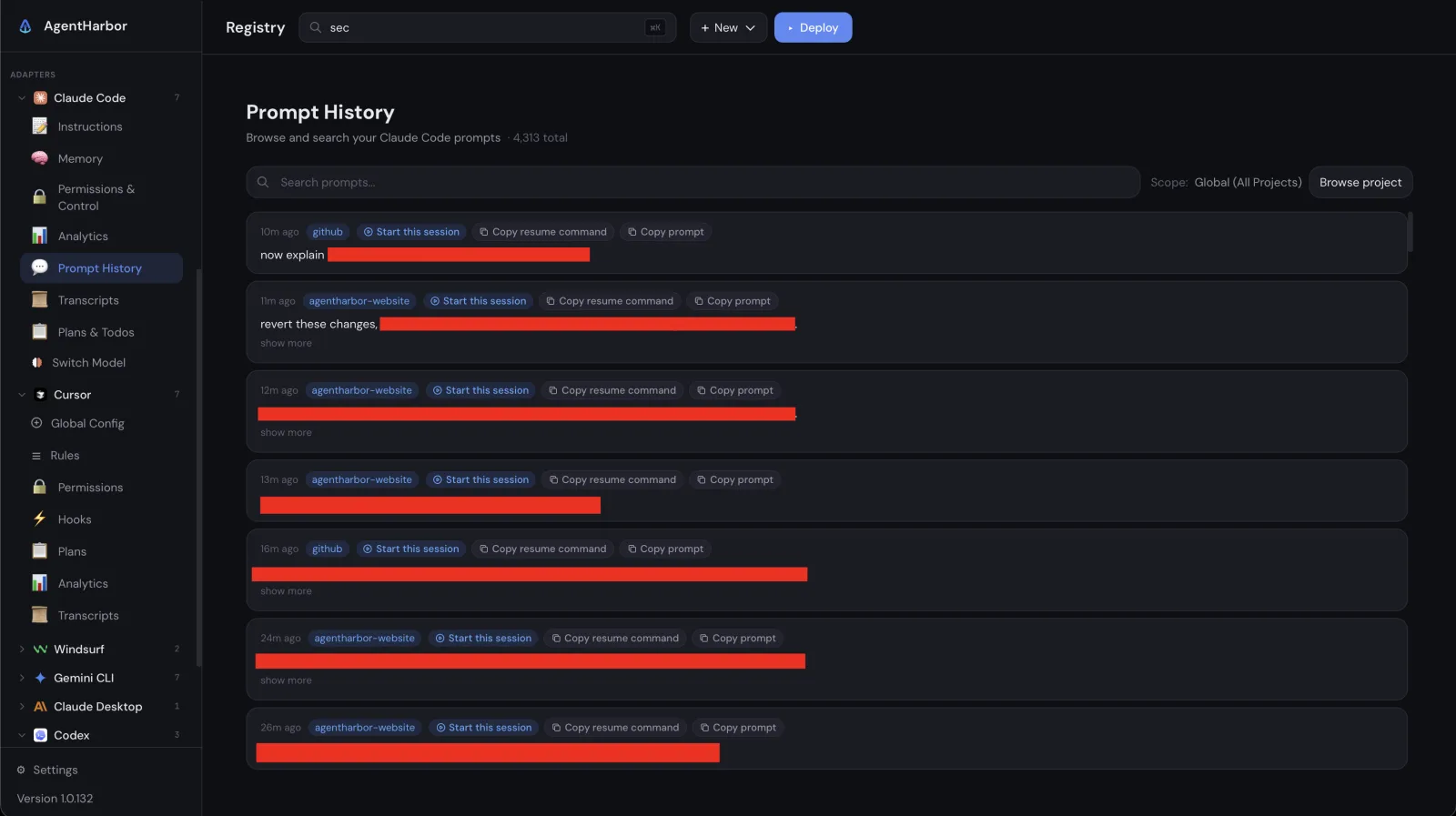
So AgentHarbor grew Prompt History. Every prompt I have ever sent, 4,313 of them so far, searchable and grouped by project, each with a button that reopens that exact session or copies the resume command.
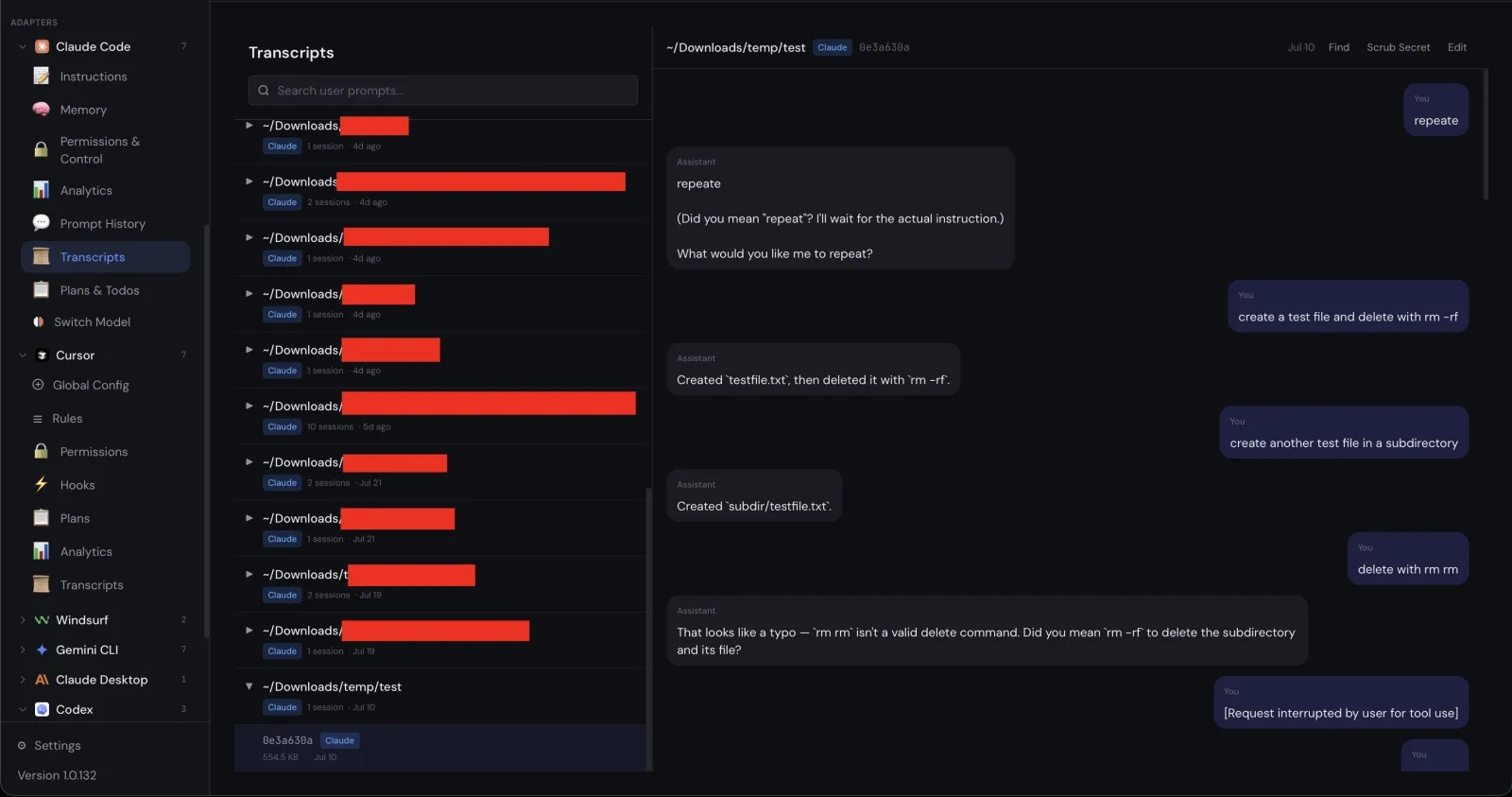
Transcripts sits next to it and lets me reread the full conversation from any session. A scrub secrets button cleans keys and tokens out of a transcript before I share it.
The rest of the sidebar
The same loop filled out the rest of the sidebar. Instructions and Memory exist because I was editing CLAUDE.md blind with no idea what it cost in tokens; now there are live estimates as I type. Plans and Todos exists because agents produce genuinely useful plans that die in terminal scrollback; now they are collected in one page.
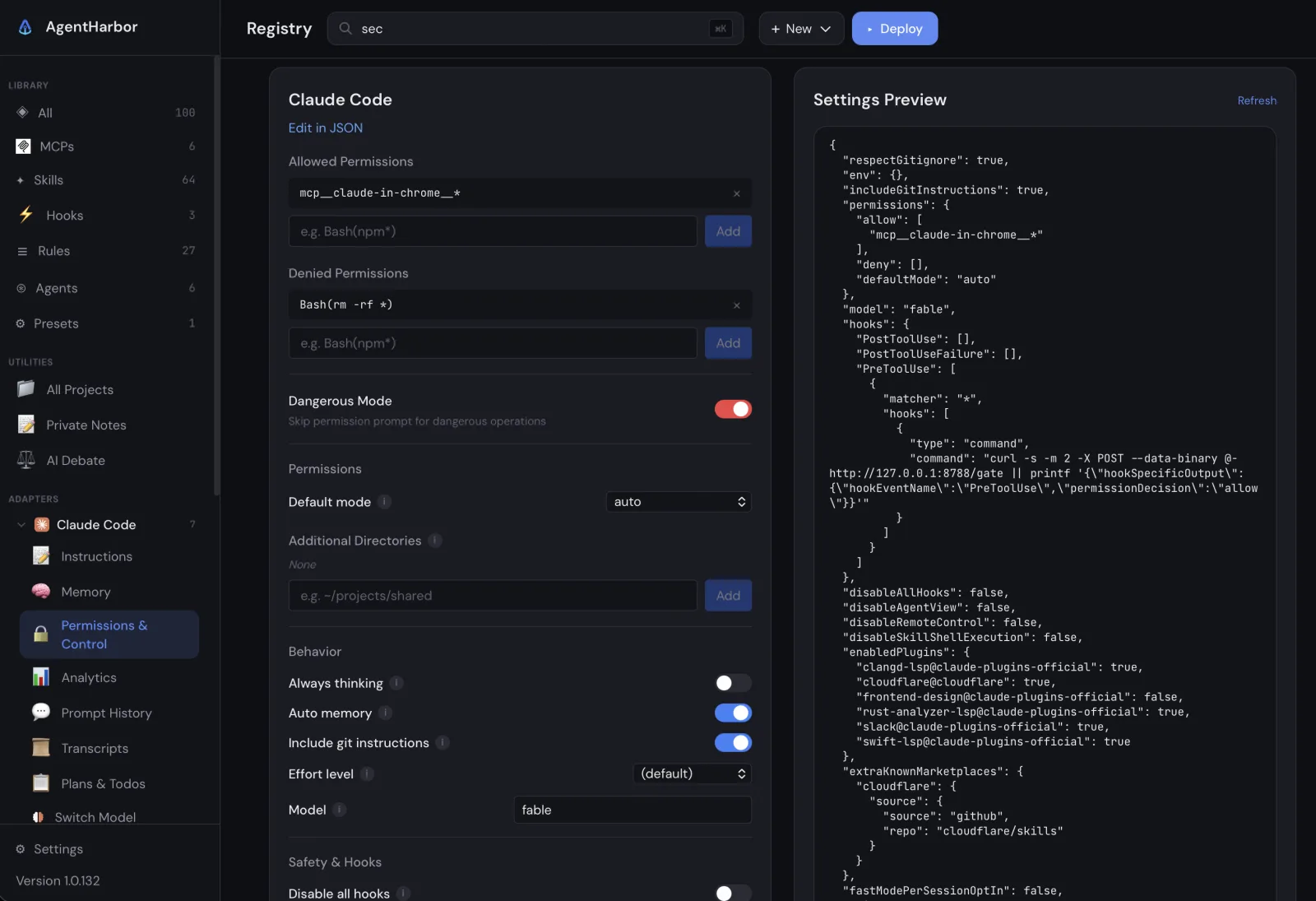
Permissions and Control got its own page because allowlists buried in settings JSON are how you end up approving things you did not mean to. It shows my allowed and denied commands, the global MCP server list, and every toggle Claude Code supports, with a live preview of the exact JSON it will write.
Switch Model, including local ones
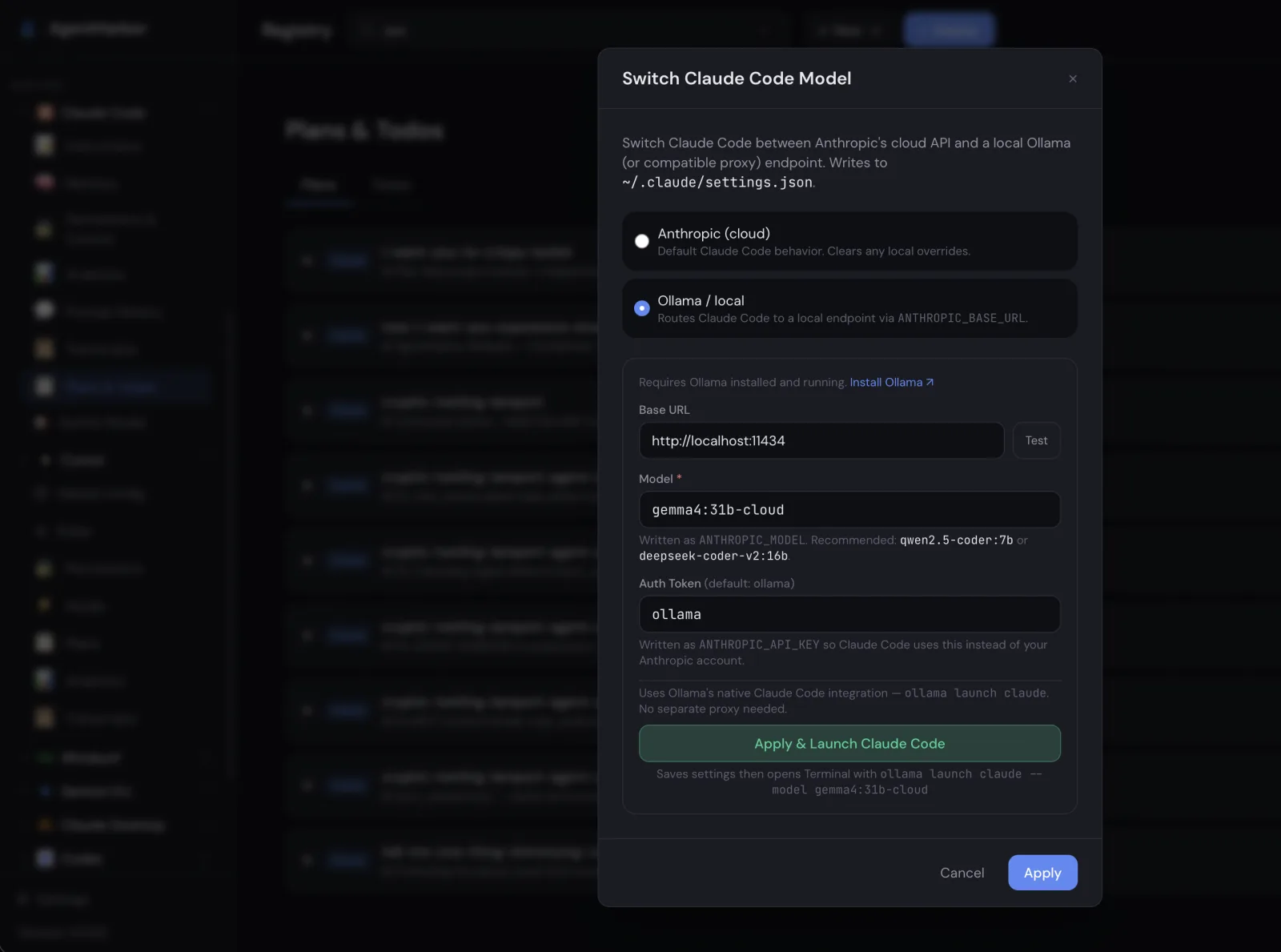
Switch Model started as a convenience, because changing models should not require remembering a different flag in every tool. Then it became my favorite escape hatch. It can point Claude Code at a local Ollama endpoint instead of the cloud, so when I am out of quota, or offline, or just curious, the same agent runs against a model on my own machine.
Private Notes
A smaller one, but it stuck. My AI related notes were scattered across Apple Notes and random markdown files in old repos: prompts that worked unusually well, model quirks, MCP setup traps, billing surprises. AgentHarbor got Private Notes, a local place for exactly that, right next to the projects and tools the notes are about, never synced anywhere.
AI Debate
The newest feature came from a different kind of annoyance: a single model agrees with you too easily. Ask it whether you should do X and you get a confident yes, with reasons. AI Debate puts two models on opposite sides of a decision and makes them argue it out while you read along and steal the best points from both. It is the closest thing to a design review I can get at 1 a.m.
A year in
Looking back, there was never a roadmap. There was a loop: use the agents every day, hit something annoying, build the fix into AgentHarbor, move on. The sidebar today is simply that list of annoyances in the order I met them.
AgentHarbor is open source under MIT and runs locally on macOS and Windows. The only network calls are to each provider's official API with your own tokens. If any of this sounds like your last month, it will probably save you the same hour it keeps saving me.